
Download Uninstaller – clean Mac, remove apps, free tool for Mac optimization
Overview
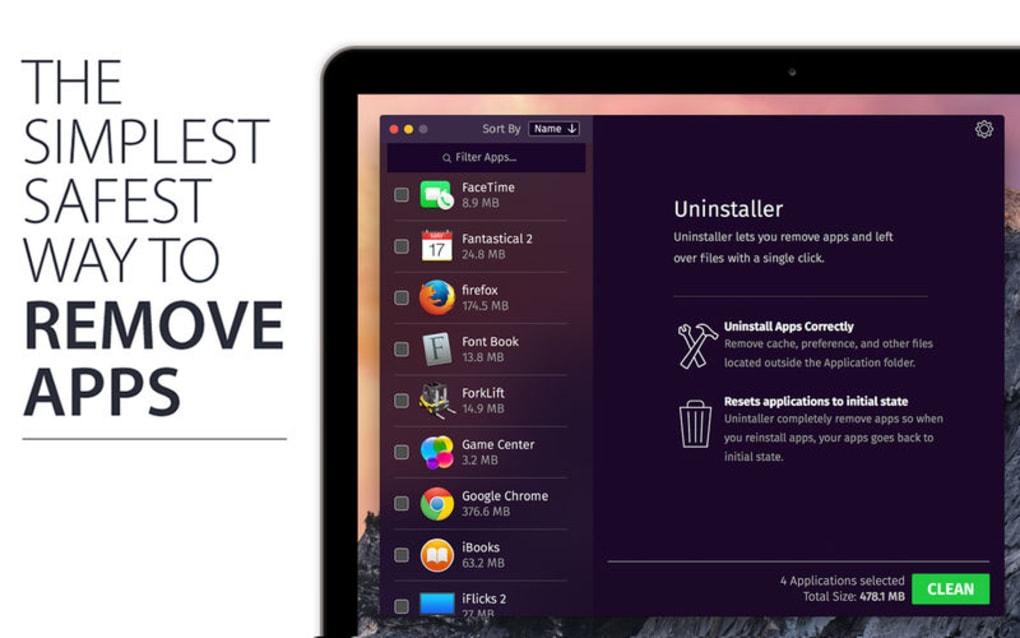
Uninstaller is a dedicated Mac cleaning utility designed to make the removal of unwanted applications, residual files, and hidden system extensions both simple and safe. Unlike the built‑in macOS trash can, Uninstaller scans deep into your system to locate caches, preference files, log entries, and even orphaned plug‑ins that continue to occupy valuable disk space after an app has been deleted. The software also offers a “restore to default” function, allowing users to reset an application’s settings without a full reinstall.
By handling login items, startup daemons, and launch agents, Uninstaller ensures that no hidden services linger to slow down your Mac or waste storage. The tool’s clean‑up process is fully automated, yet it provides a preview mode so you can verify what will be removed before any changes are made. This balance of control and automation makes Uninstaller an essential addition to any Mac maintenance routine, especially for power users who frequently install and test new software.
Key Features & Benefits
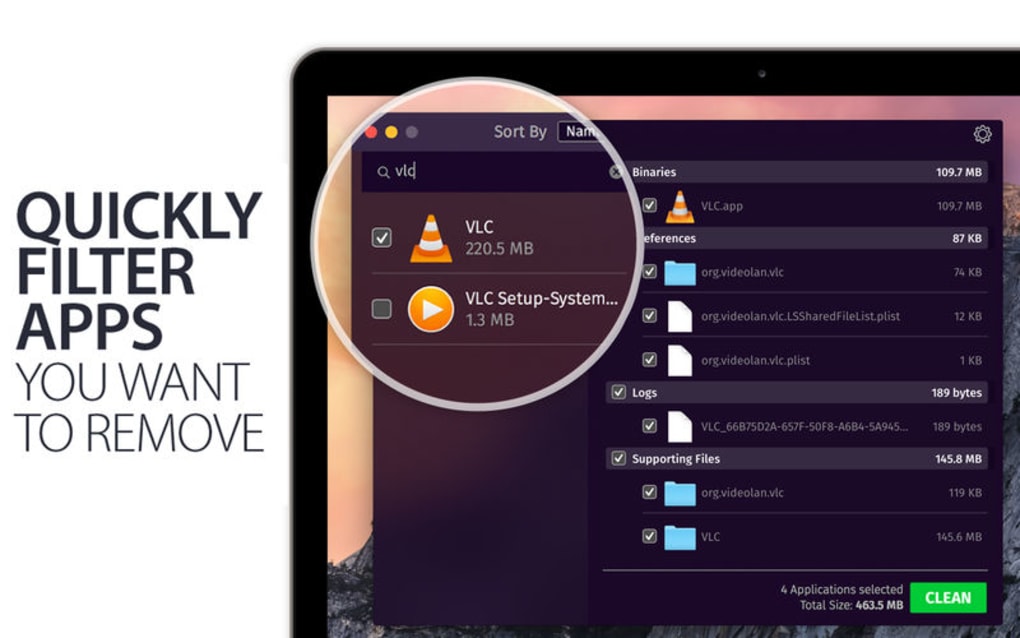
- Deep Scan for Residual Files: Detects and deletes hidden caches, preference files, log files, and supporting data that standard uninstallers miss.
- Application Preview: Shows the exact amount of disk space each app occupies, including hidden components, before removal.
- Browser Extension Management: Lists all installed internet plugins and browser extensions, enabling quick clean‑up of outdated or risky add‑ons.
- Login Items & Startup Programs: Displays and allows disabling of login items, launch agents, and system daemons that slow boot time.
- Restore to Default Settings: Reverts an app to its original configuration without a full reinstall, useful for troubleshooting.
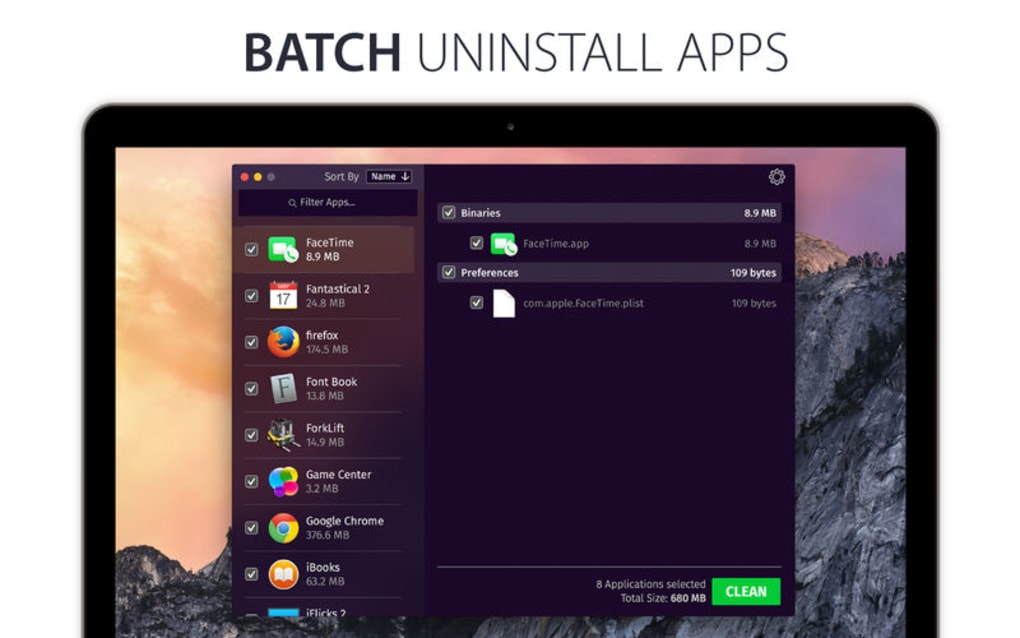
- One‑Click Clean‑Up: Automates the entire removal process with a single click while still offering a safety preview.
- Secure Deletion: Uses macOS‑approved APIs to ensure that removed files are unrecoverable, protecting privacy.
- Free Updates & Support: Regular updates keep the tool compatible with the latest macOS releases and add new cleaning rules.
The combination of these features means you spend less time manually hunting for stray files and more time enjoying a faster, cleaner Mac. By regularly running Uninstaller, users often see noticeable improvements in system responsiveness, lower SSD wear, and more available storage for critical projects.
Installation, Usage & Compatibility
Getting Uninstaller up and running is straightforward. After downloading the installer package, double‑click the .dmg file and drag the Uninstaller icon into your Applications folder. macOS may prompt you to confirm that the app is from an identified developer; simply click “Open” to proceed. Once installed, launch Uninstaller from the Dock or Launchpad. The first run will request administrator privileges – this is required to access system‑level directories where hidden files reside. After granting permission, the main dashboard appears, offering three primary actions: Scan & Clean, Manage Extensions, and Restore Settings.
To clean your system, click “Scan & Clean.” Uninstaller conducts a rapid scan of the Applications folder, Library caches, and user directories, then presents a categorized list of items ready for removal. You can select individual entries or use the “Select All” option for a full purge. Clicking “Remove” triggers the secure deletion process, after which a summary report shows how much space was reclaimed.
Uninstaller is fully compatible with macOS 10.13 High Sierra and later, including macOS Ventura, Monterey, and the upcoming macOS Sonoma. The tool runs natively on Intel‑based Macs as well as Apple Silicon (M1, M2, and later) thanks to universal binaries. System requirements are modest: 2 GB RAM, 200 MB of free disk space for the application itself, and a minimum of 10 GB of available storage to ensure the cleaning engine can create temporary work files.
For power users, Uninstaller offers a command‑line interface (CLI) that can be invoked via Terminal for scripted clean‑ups, making it suitable for enterprise deployment or automated maintenance routines. The CLI accepts flags such as --scan, --remove, and --report, allowing integration with existing Mac management tools.
Pros, Cons & Frequently Asked Questions
Pros
- Comprehensive deep‑clean that removes hidden files traditional uninstallers miss.
- User‑friendly interface with preview mode for safe deletions.
- Supports both Intel and Apple Silicon Macs.
- Free to download and includes regular updates.
- One‑click clean‑up saves time compared to manual removal.
Cons
- No built‑in scheduler for automatic periodic scans (requires manual launch).
- Advanced CLI features may be overwhelming for non‑technical users.
- While the core app is free, premium support options are paid.
FAQ
Can Uninstaller remove apps that were installed from the Mac App Store?
Yes. Uninstaller detects both App Store and third‑party applications, cleaning up associated caches and support files for each.
Is it safe to use Uninstaller on a system that has critical work files?
Absolutely. The preview mode lists every file slated for deletion, allowing you to deselect anything you wish to keep. Additionally, the tool uses macOS‑approved APIs to prevent accidental removal of system files.
Does Uninstaller work on macOS Ventura and the newest Apple Silicon chips?
Yes. The application includes a universal binary that runs natively on both Intel and Apple Silicon Macs, and it is fully compatible with macOS Ventura, Monterey, and later releases.
Can I schedule automatic clean‑ups?
The current free version does not include a scheduler. However, you can create a simple cron job using the CLI to run scans at regular intervals.
Is there a risk of deleting essential system files?
Uninstaller is designed to protect core system components. It only targets files located in user‑specific and application‑specific directories. System files outside these scopes are ignored.
Conclusion & Call to Action
Overall, Uninstaller offers a robust, free solution for anyone looking to keep their Mac tidy, fast, and free from hidden bloat. Its deep‑scan technology, intuitive preview interface, and compatibility across the full macOS spectrum make it a standout choice for both casual users and IT professionals. While it lacks a built‑in scheduler, the availability of a powerful CLI compensates for this gap, especially for users comfortable with scripting.
By integrating Uninstaller into your regular maintenance routine, you’ll reclaim gigabytes of storage, reduce startup times, and extend the lifespan of your SSD. Ready to experience a cleaner Mac? Download Uninstaller now and start freeing up space instantly.
- Pros: Deep clean, free, universal binary.
- Cons: No built‑in scheduler, CLI may be complex.







